
AI Artwork and Embroidery: Why Your Design May Need to Change Before Digitizing
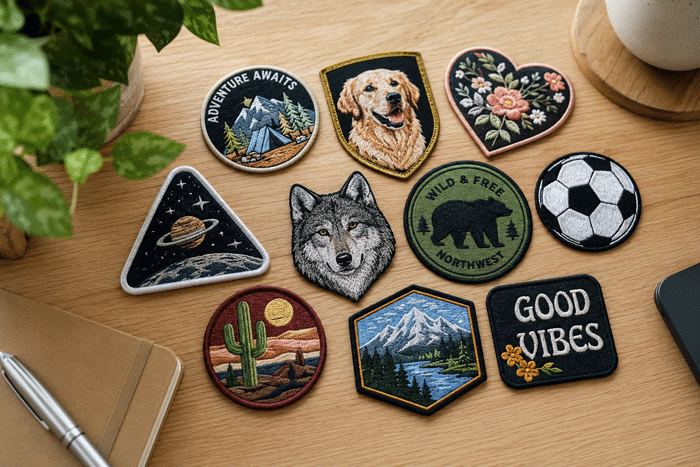
Artificial Intelligence can generate amazing artwork in seconds. Detailed animals, complex logos, realistic textures, and intricate patch concepts are now easier to create than ever before.
However, there is one important reality that many people don’t realize:
Artwork that looks great on a screen is not always suitable for embroidery.
Embroidery is not a printing process. Every design must be recreated using physical thread, fabric, and machine stitches. This introduces technical limitations that often require artwork to be simplified or modified before digitizing.
Understanding these limitations will help you create better artwork, reduce revisions, and achieve cleaner embroidery results.
Why Doesn’t My Embroidery File Look Exactly Like the AI Image?
If you’ve ever submitted AI-generated artwork for embroidery, you may have wondered:
- Why doesn’t my embroidery file look exactly like the AI image?
- Why were some details removed or simplified?
- Why do the colors look different?
- Why can’t all of the details fit on a hat or small patch?
- Why does the digitized version require changes at all?
The answer comes down to one simple fact:
AI creates artwork for screens. Embroidery is created with thread.
Let’s take a look at why that matters.
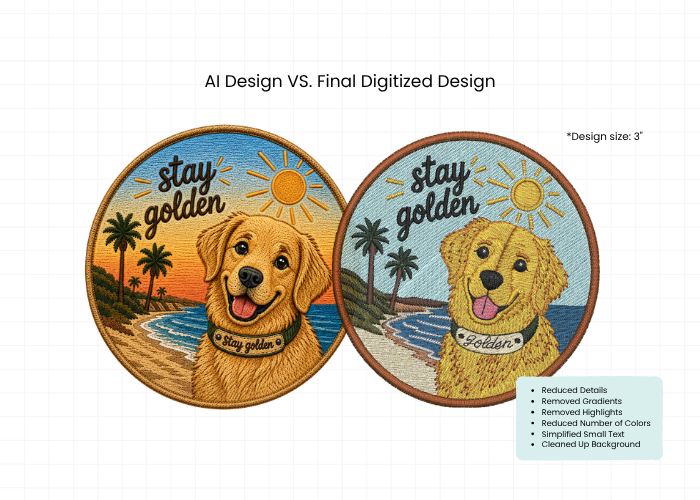
Why Can’t You Just Convert My Image Into Stitches?
When viewing artwork on a screen, every pixel can contain unlimited detail, gradients, shadows, and textures.
Embroidery machines don’t work that way.
Before a design can be embroidered, a digitizer must convert the artwork into thousands of stitch commands that tell the machine where stitches go, which direction they run, how dense they should be, and when thread colors should change.
Unlike a printer, an embroidery machine can’t simply reproduce every pixel it sees.
Every element of the design must be translated into thread.
The goal isn’t to recreate every pixel of the artwork. The goal is to create a design that sews cleanly, looks professional, and performs well on fabric.
That’s where many AI-generated designs run into challenges.
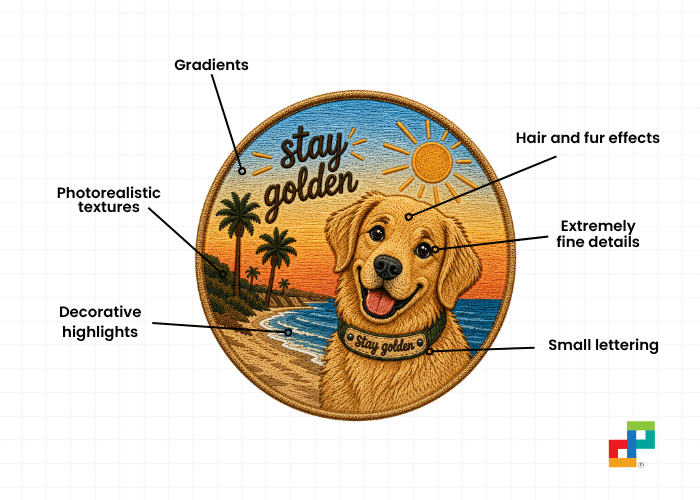
What Is Embroidery-Ready Artwork?
Embroidery-ready artwork is a design that has been prepared in a way that can be cleanly recreated with thread.
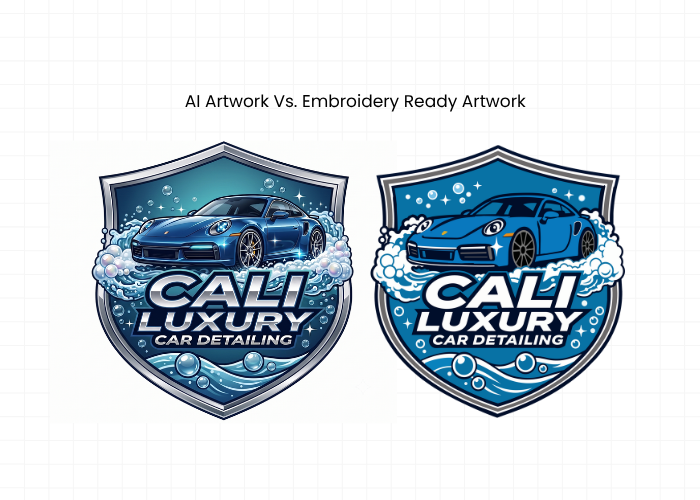
A design may look amazing as digital artwork, but that does not always mean it will stitch well. Embroidery-ready artwork removes or simplifies the parts of a design that would become messy, unreadable, or too small when sewn.
Embroidery-ready artwork usually includes:
✓ Clean, bold outlines
✓ Solid color areas
✓ Readable text
✓ Simple shapes
✓ Enough spacing between design elements
✓ Lines that are thick enough to stitch
✓ Details that match the requested embroidery size
✓ Minimal gradients, shadows, textures, or photo effects
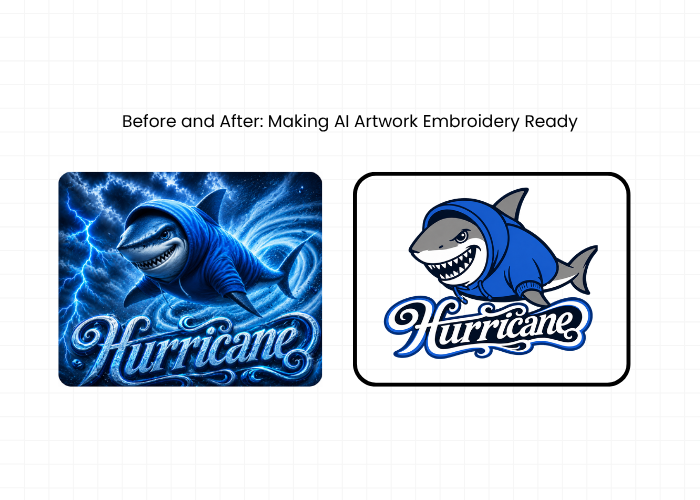
The goal is not to remove the style of the design. The goal is to make sure the most important parts of the artwork can actually be stitched clearly.
For example, AI-generated artwork often includes glowing edges, tiny textures, realistic shadows, thin outlines, and detailed backgrounds. These effects may look great on a screen, but they usually need to be converted into cleaner shapes, stronger outlines, and solid thread colors before digitizing.
An embroidery-ready version keeps the main idea of the design while removing or simplifying the details that will not stitch well.
This creates a cleaner, sharper, and more professional embroidery result.
Why Design Size Matters in Embroidery
Another important factor is the final embroidery size.
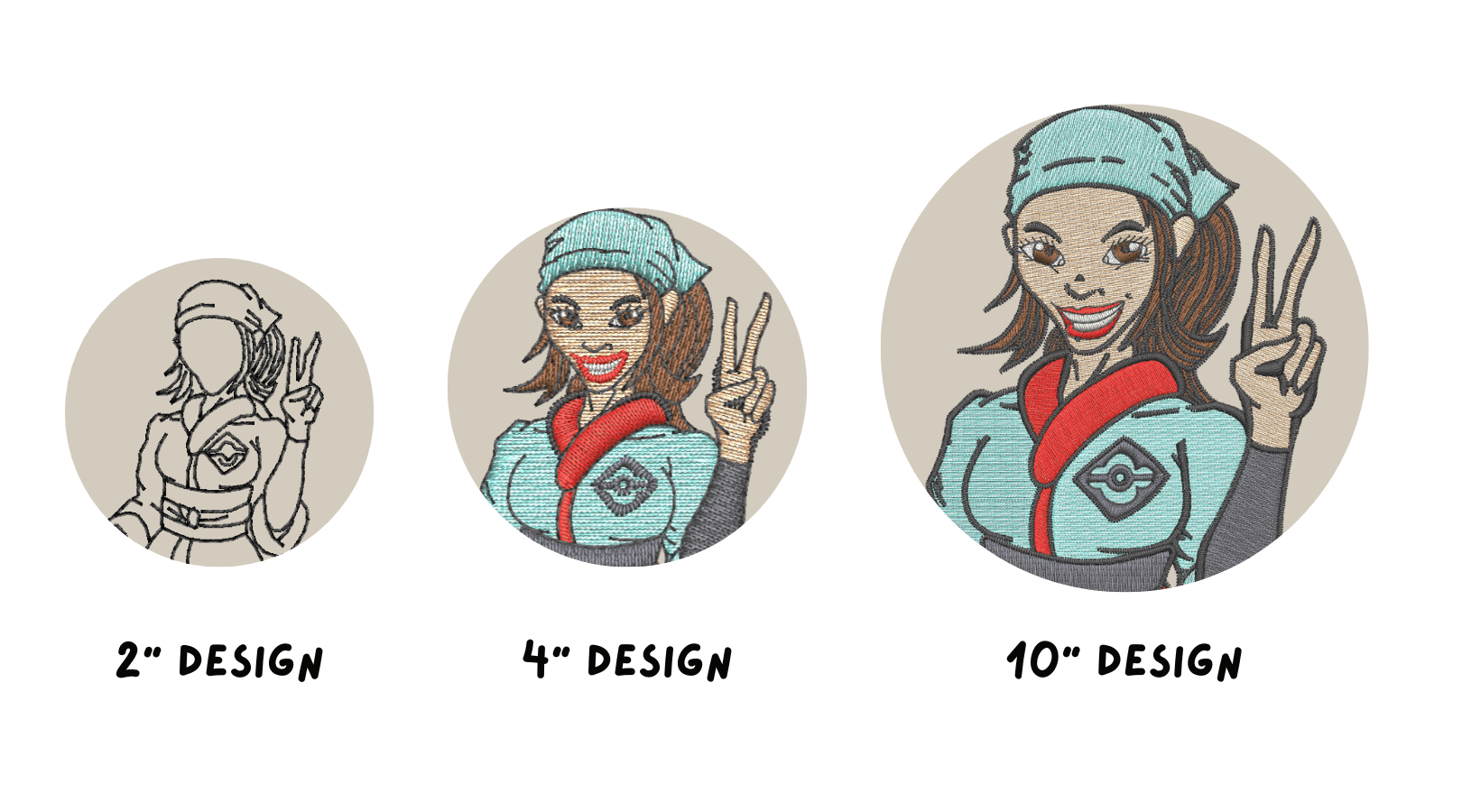
A design that works well at 10 inches wide may not work the same way at 2, 3, or 4 inches wide. The smaller the design, the less room there is for detail.
This is especially important for common embroidery placements such as:
- Caps
- Left chest logos
- Polos
- Jackets
- Small patches
These designs are often only 2 to 4 inches wide, which means some elements may need to be simplified, including:
- Tiny lettering
- Thin lines
- Small facial details
- Fur or hair texture
- Shading and highlights
- Detailed backgrounds
For example, a detailed animal face or complex AI-generated scene may look great as a large back design or oversized patch. But when that same artwork is reduced for a cap or left chest, some details may need to be removed, enlarged, or simplified.
In embroidery, more detail usually requires more space. A clean, simplified 3-inch design will almost always stitch better than a highly detailed image squeezed into the same area.
Why AI Color Palettes Need to Be Simplified
AI artwork can use endless colors. Embroidery cannot.
A digital image may look like it only has a few colors, but it can actually contain dozens of tiny color variations. A sunset might include many shades of orange, pink, yellow, purple, and blue. A realistic animal might include several shades of tan, brown, cream, gold, and shadow.
Embroidery machines work with physical thread colors, not digital pixels.
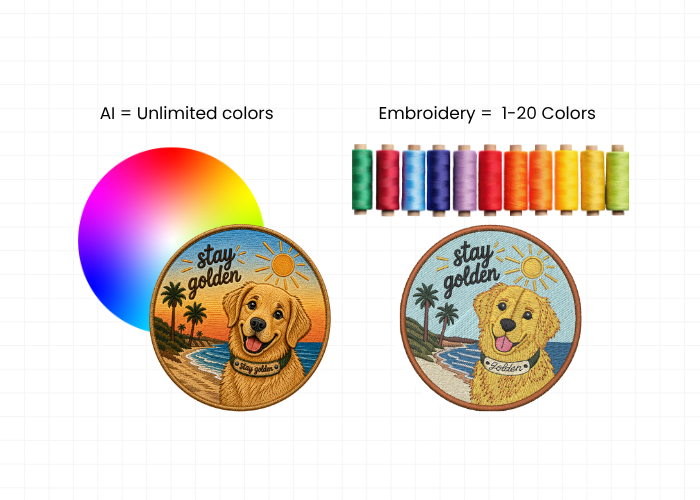
A single-needle machine holds one thread color at a time, which means the thread has to be changed whenever the design needs a new color. Multi-needle machines can hold several thread colors at once — commonly anywhere from 6 to 15 colors, with some machines holding up to 20.
Even when a machine can handle more colors, that does not mean every design should use them. Each extra color adds more thread changes, production time, and complexity.
That is why AI artwork usually needs to be simplified into a smaller thread palette. Instead of trying to recreate every tiny shade, highlight, and color blend, digitizers choose the thread colors that best represent the design and will sew cleanly.
In many cases, a simplified color palette creates a cleaner, sharper, and more professional embroidered result.
How to Create Embroidery-Friendly AI Artwork
If you’re generating artwork specifically for embroidery, simpler is usually better.
The most embroidery-friendly designs typically include:
✓ Bold shapes
✓ Strong contrast
✓ Limited colors
✓ Large readable text
✓ Clear separation between objects
✓ Minimal fine detail
When creating AI artwork, prompts such as:
“Embroidery patch design, bold outlines, limited colors, clean shapes, embroidery-friendly, large readable text”
will generally produce better results than prompts focused on photorealism and extreme detail.
Our Goal: Turning Your Artwork Into Embroidery That Works
AI artwork can be a great starting point for an embroidery design, but it usually needs to be adjusted before it can be stitched successfully.
Our goal is not to copy every pixel from the original image. Our goal is to create an embroidery file that sews cleanly, looks professional, and captures the spirit of your design.
Sometimes that means simplifying small details, reducing colors, adjusting shading, enlarging lettering, or modifying elements that cannot be reproduced effectively with thread.
Think of it this way: we are not just converting an image — we are helping translate your artwork into something an embroidery machine can actually create.
The best embroidery designs are not always the most detailed. They are the ones that look clear, balanced, and beautiful when stitched on fabric.
If you have AI-generated artwork and are not sure if it is embroidery-ready, we can help. Send us your design and we will review it, simplify it if needed, and provide a quote for digitizing.