
Embroidery Legacy: A Beginner-Friendly Digitizing Software
Have you ever wanted to learn how to digitize your own embroidery designs but felt intimidated by complicated software and steep learning curves?
Learning embroidery digitizing can be challenging, especially when you’re just getting started. We recently had the opportunity to explore Embroidery Legacy’s embroidery digitizing software,a program designed to make digitizing more approachable while providing the tools needed to create and customize embroidery designs.
In this article, we’ll take a closer look at its features, learning resources, and what makes it an interesting option for beginners, hobbyists, and small embroidery businesses.
What Sets Embroidery Legacy Apart?
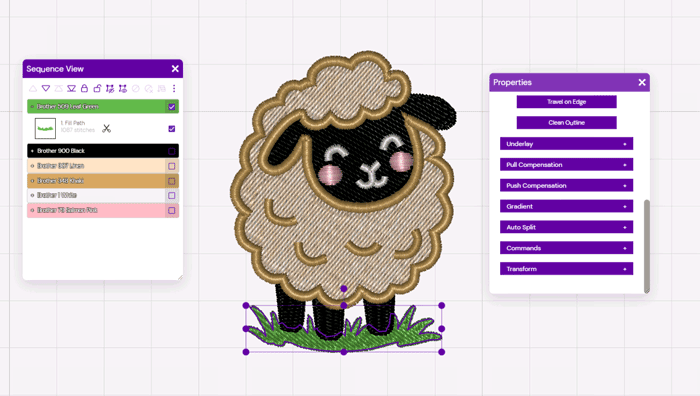
Embroidery Legacy bridges the gap between basic hobby programs and complicated commercial suites. It gives you complete command over artwork and stitch generation without burying you in technical clutter.
1. A Clean, Uncluttered Workspace
The steepest barrier to learning digitizing is usually the user interface. Embroidery Legacy strips away visual noise in favor of a modern, organized layout. Tools are positioned logically so you spend your time creating and refining designs rather than hunting through nested menus.
2. Create Your Artwork Before Adding Stitches
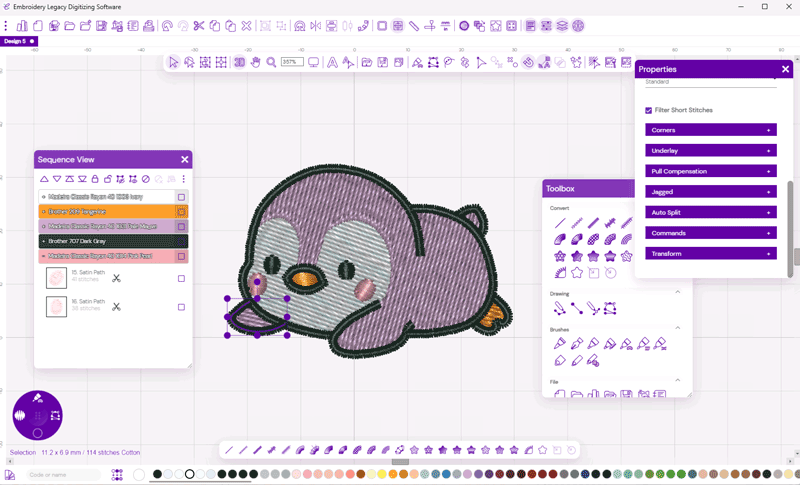
Translating a flat 2D graphic into stitches is where most beginners struggle. The built-in Artwork Mode separates the vector prep from stitch generation. You can import, clean up, or manually trace your artwork first. Once the vectors are dialed in, you simply assign your stitch types and angles—making the transition from graphic to embroidery intuitive and error-free.
3. Full Control Over Your Embroidery Designs
Many beginner programs rely exclusively on “auto-digitizing” buttons, which often result in bulletproof density, poor underlay, and thread breaks. Embroidery Legacy provides true manual control:
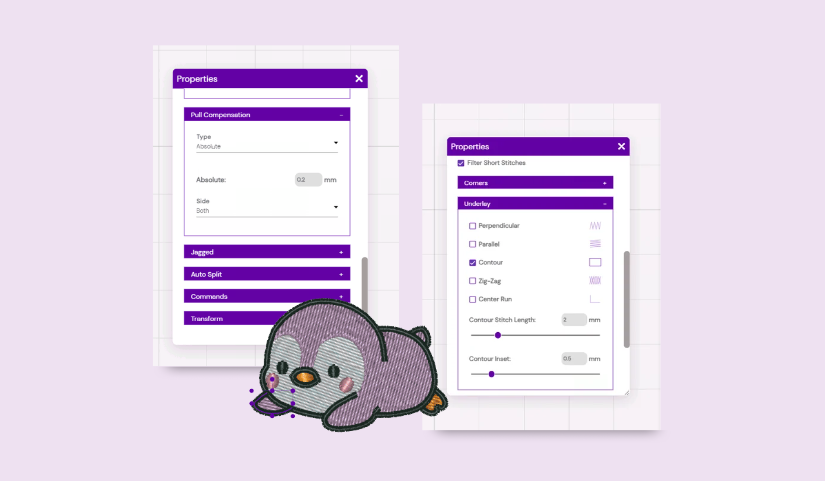
- Set custom stitch angles, densities, and underlay types.
- Control exact entry and exit points to minimize jump stitches.
- Adjust push-and-pull compensation so designs sew out flat and clean on real fabric.
4. Built to Grow With You
A common frustration among embroiderers is outgrowing beginner-tier software within six months. Embroidery Legacy provides the core tools required for advanced digitizing down the road, meaning you won’t have to switch platforms or repurchase software once your skills progress.
5. Learn With Courses, Tutorials, and Workshops
Having the right software is important, but learning how to digitize properly is just as important.
This is another area where Embroidery Legacy stands out.
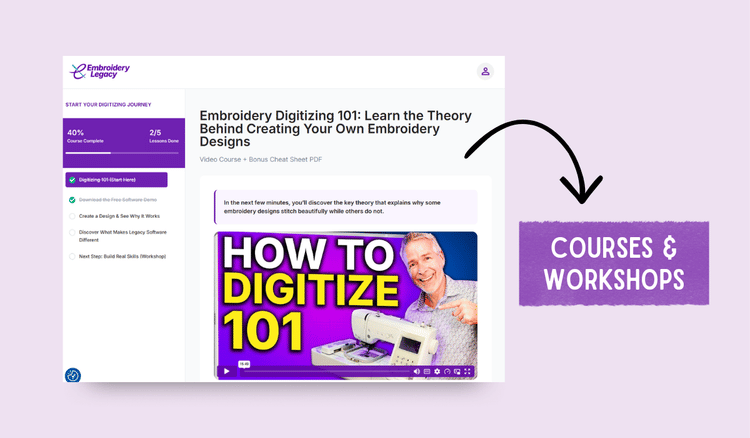
Alongside its digitizing software, Embroidery Legacy provides educational resources, including beginner courses, step-by-step tutorials, workshops, and advanced digitizing lessons.
These resources are especially valuable for someone who wants to understand embroidery digitizing rather than simply learn which buttons to click.
The training is developed by John Deer, an award-winning embroidery digitizer who has taught digitizing to more than 100,000 embroiderers.
For beginners who prefer learning through guided instruction, having educational resources available alongside the software is a major advantage.
Additional Features Worth Knowing
Beyond its beginner-friendly interface and training resources, Embroidery Legacy includes several practical features:
- 200+ built-in fonts for creating embroidery lettering and personalized designs.
- 25+ supported file formats, including DST, PES, JEF, EXP, and VP3.
- One-time purchase, without a required annual software subscription.
- Free demo, so you can explore the software before purchasing.
- 14-day money-back guarantee on software purchases.
These features make it worth considering for hobbyists, home embroiderers, and small embroidery businesses looking to create their own designs.
Try out their free demo or explore Embroidery Legacy’s embroidery digitizing software to see if it fits your workflow.
Our Final Thoughts
After exploring Embroidery Legacy Digitizing Software, we were impressed by its clean interface, intuitive workflow, and the level of control it offers over embroidery designs.
For hobbyists, beginners, and small embroidery businesses interested in learning embroidery digitizing, Embroidery Legacy offers a great combination of professional tools and educational resources to help users develop their skills.
At PRO digitizing®, our experience in the embroidery industry dates back to 1987, and we’ve seen firsthand how important quality digitizing is to the final embroidery result. Whether you’re creating your own designs or working with a professional digitizer, understanding how stitches interact with different fabrics, stitch direction, and production efficiency plays an important role in achieving great results.
Every embroiderer has different needs, and there’s no one-size-fits-all approach. Some enjoy the creative process of digitizing their own designs, while others prefer to focus on embroidery production and leave the digitizing to experienced professionals.
Whether you’re looking to develop your digitizing skills with Embroidery Legacy or need reliable, production-ready embroidery files from PRO digitizing®, both options can help you achieve beautiful, high-quality embroidery results.